Best AI Thumbnail Maker for YouTube in 2026
We compare the top AI thumbnail makers for YouTube, break down who each one fits, and show a simple workflow to get better click-through rates.
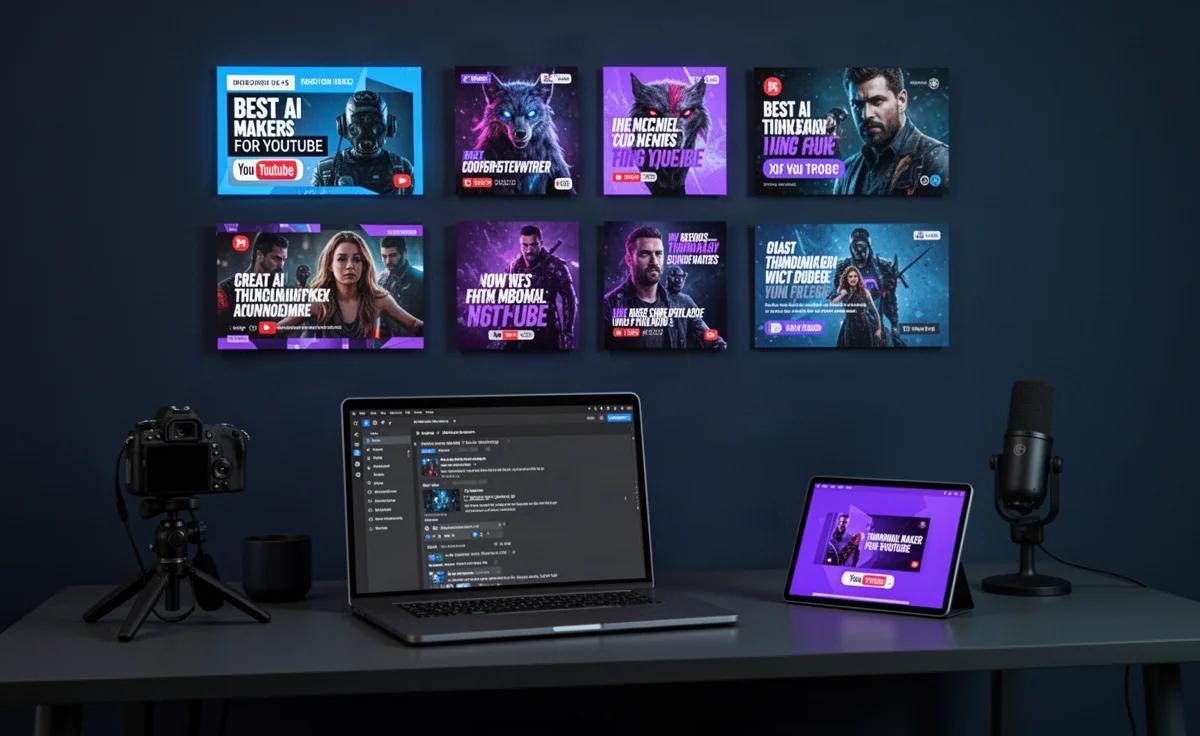
By TheCreatorPilot Team — creators testing AI tools for video, YouTube and content
You just finished a video you are proud of, and now you are staring at a blank thumbnail canvas with no idea where to start. If that sounds familiar, here is the direct answer: the best AI thumbnail maker for YouTube right now depends on what kind of creator you are. If you want fast, punchy thumbnails and you already use Canva for other channel graphics, Canva is the best all-rounder. If you want AI to generate thumbnail concepts from scratch with faces, text styles and layouts in seconds, Pikzels is the strongest specialized pick. And if you want a thumbnail tool bundled into a larger AI video workflow for faceless channels, Pictory is a smart complement. None of these is a universal winner, and the right one changes based on how much control you want and how much you trust AI to design for you. Below is exactly how each one works, where it struggles, and who should skip it.
Quick note: some links in this article are affiliate links, they support the blog at no extra cost to you.
The three tools creators actually shortlist
When creators ask us what to use, they are usually deciding between a general design tool that happens to do thumbnails well, a dedicated AI thumbnail tool, and an AI video tool that generates thumbnails as a side feature. That maps neatly to three tools.
Canva is a design platform first, thumbnail tool second. Its AI features help you remove backgrounds, generate elements, and apply text treatments, but it does not design a full thumbnail by itself. You still make the creative decisions. That is precisely why many experienced YouTubers stick with it, because control matters when a thumbnail has to match a specific video.
Pikzels is built only for YouTube thumbnails. Paste a video title or idea, and it generates multiple thumbnail options with faces, backgrounds, and text. You then tweak from there. It is much faster for iteration, but it gives you less fine-grained design control than Canva.
Pictory is an AI video editor that turns scripts or long videos into short clips. It can also generate thumbnails as part of that workflow, which makes sense if your thumbnail and video both come from the same source material.
| Tool | Main strength | Best for | Watch out for |
|---|---|---|---|
| Canva | Full design control | Creators who design other channel graphics | AI does not create the whole thumbnail for you |
| Pikzels | AI-generated thumbnail concepts | Creators who want many options fast | Less manual control over fine details |
| Pictory | Thumbnail as part of video workflow | Faceless channels and repurposed content | Thumbnail tooling is secondary, not the focus |
Our recommended workflow
What we recommend most often is a simple three-step loop that combines one of these tools with your own judgment. The AI does the heavy lifting, you make the final call, because a thumbnail only works if it matches the video and the audience.
- Generate a first batch. In Pikzels, paste your title and idea and let it produce several concepts. In Canva, start from a channel template and use AI background removal or element generation to fill the canvas.
- Pick one direction, then refine it manually. AI thumbnails often look almost right but miss something: text contrast, face expression, or a focal point. Fix those small details yourself rather than generating endlessly.
- Test the result at small size. Your thumbnail gets seen in a sidebar at a fraction of its full size. If the text is not readable and the main subject is not obvious at that scale, go back and simplify.
You can read a deeper breakdown of how these tools compare in our article on the best AI thumbnail maker for YouTube reviews.
Who each tool is for, and who should skip it
Canva is the best fit if you already use it for banners, end screens, or channel art and you want one place for everything. Skip it if you want AI to design the thumbnail for you, because Canva will not do that. It gives you powerful components, not a finished concept.
Pikzels is the best fit if your bottleneck is time, not creativity. You want five thumbnail directions in two minutes and then choose. Skip it if you have very specific design instincts and hate fighting an AI over every font and shadow.
Pictory fits creators who make faceless videos or repurpose long content into shorts and want thumbnails generated from the same workflow. Skip it if you are a talking-head creator who appears on camera and wants a face-driven thumbnail; a dedicated design tool will serve you better. For a focused look at dedicated generators, see our guide to the best AI thumbnail generator for YouTube.
FAQ
What is the best free AI thumbnail maker for YouTube?
Canva offers a free way to try thumbnails, though some AI features sit behind its paid plans as of 2026. Check current terms on the official site. Pikzels and Pictory also offer ways to test before paying.
Can AI make a full YouTube thumbnail automatically?
Pikzels gets the closest, generating complete thumbnail concepts from a title or idea. Canva gives you AI components but expects you to assemble the design. No tool consistently nails a final thumbnail without human review.
Do AI thumbnails actually improve click-through rate?
A clearer, better-designed thumbnail can help, but no tool guarantees more clicks. The thumbnail still has to match the video content and speak to the right audience. AI speeds up the work; it does not replace the strategy.
Is Pikzels better than Canva for thumbnails?
For generating many options quickly, yes. For precise control over every element, Canva wins. Pick Pikzels if you iterate fast, Canva if you treat thumbnails like proper design work.
Which AI thumbnail maker works best for faceless channels?
Pictory is a strong pick because it generates thumbnails as part of an AI video workflow built for faceless content. Pikzels also works well when you want dramatic backgrounds and bold text without on-camera faces.
The right AI thumbnail maker is the one that removes your biggest friction. If you need speed and options, start with Pikzels. If you need control and already live in Canva, stay there. If your whole channel runs on AI-generated video, Pictory keeps everything in one place. Test one workflow for a few uploads before adding more tools, and let your click-through data tell you what to adjust. As of 2026, the tools are good enough to get you 80% of the way, and your judgment is still the part that closes the gap.